Import Collection
PostQode allows you to import existing collections from popular API tools and formats, making it easy to migrate your existing API workflows. This guide covers all supported import methods and formats.
Importing a Collection
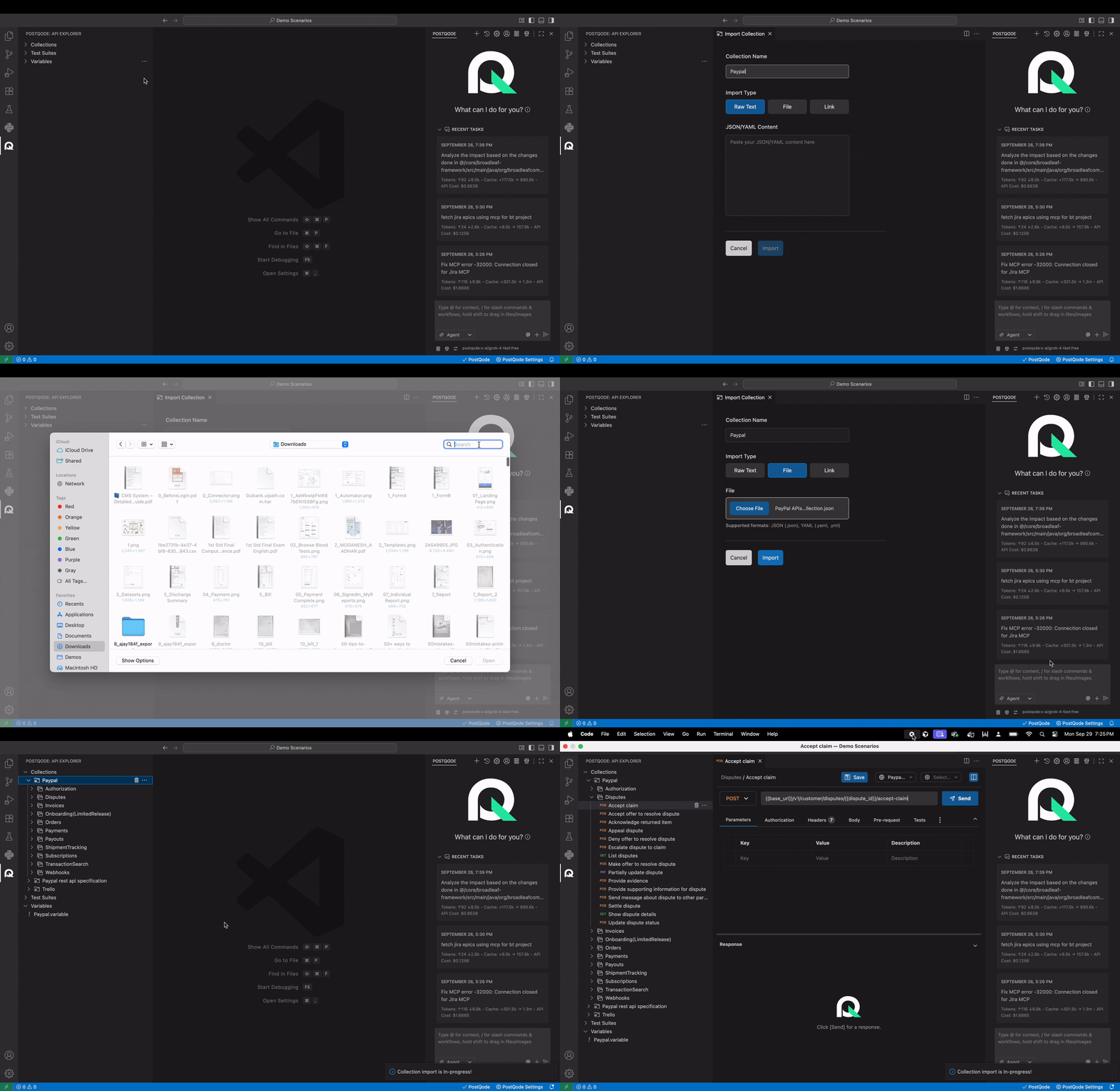
To import a collection:
Step 1: Navigate to the Collections section in PostQode
Step 2: Click on the more options menu (⋯) in the Collections section
Step 3: Select Import Collection from the action menu
Supported Formats
PostQode supports importing from the following formats:
- OpenAPI/Swagger: OpenAPI v3.x, Swagger v2.x (
.json,.yaml,.yml) - Postman Collections: v2.1 (
.json,.yaml,.yml)
Import Methods
PostQode provides three convenient methods to import your collections:
1. Raw Text Import
Description: Direct JSON/YAML Content Editor
Step 1: Select Raw Text as your import method
Step 2: Paste your JSON/YAML content in the text editor
Step 3: Review the content for accuracy
Step 4: Click Import to proceed.
2. File Import
Description: Upload collection files from your local system
Step 1: Select File Import as your import method.
Step 2: Choose File Click to open the file browser and select your file.
Step 3: Wait for the file to upload and validate
Step 4: Click Import to proceed.
File requirements:
- Valid JSON or YAML syntax
- Compatible with supported collection formats
3. Link Import
Description: Import collections directly from URLs
Step 1: Select Link Import as your import method
Step 2: Enter the complete URL in the text box
Step 3: Click Import to fetch and import.