What are Test Suites?
Test suites in PostQode are collections of related test cases organized to facilitate structured and comprehensive testing. These suites ensure that all necessary tests are executed, either manually or through automation, to verify specific functionalities or behaviors of the software. By grouping test cases together, test suites help streamline the testing process, making it easier to manage and ensure that the software meets its requirements.
Creating New Test Suites
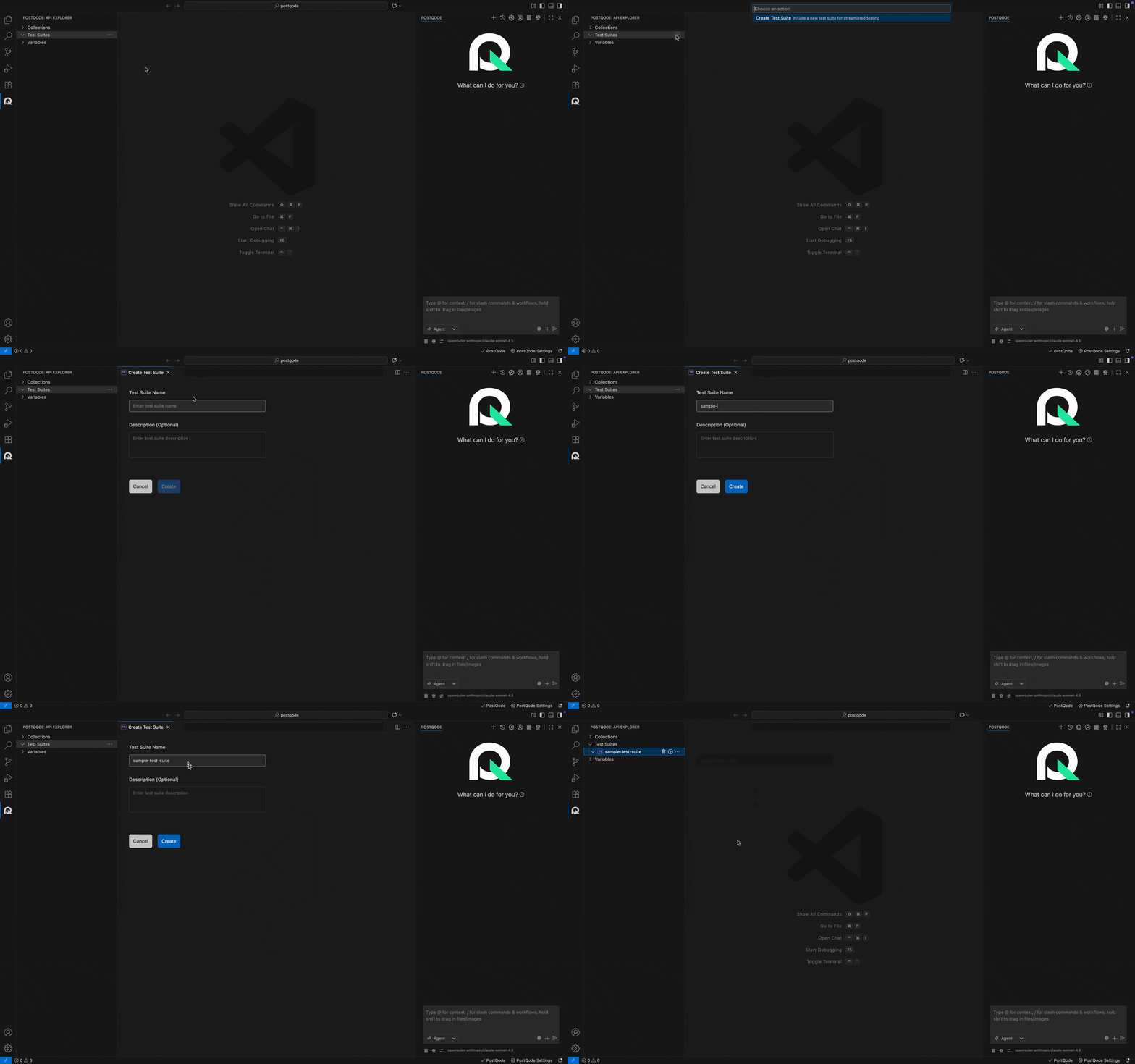
Step 1: Click on the more options menu (⋯) in the Test Suites Section.
Step 2: Click on the Create Test Suite option from the action menu. This action opens the Create Test Suite window.
Step 3: Fill in the Test Suite name and description (optional) and click the Create button.
Note: The name should not start with a space or dot (.).
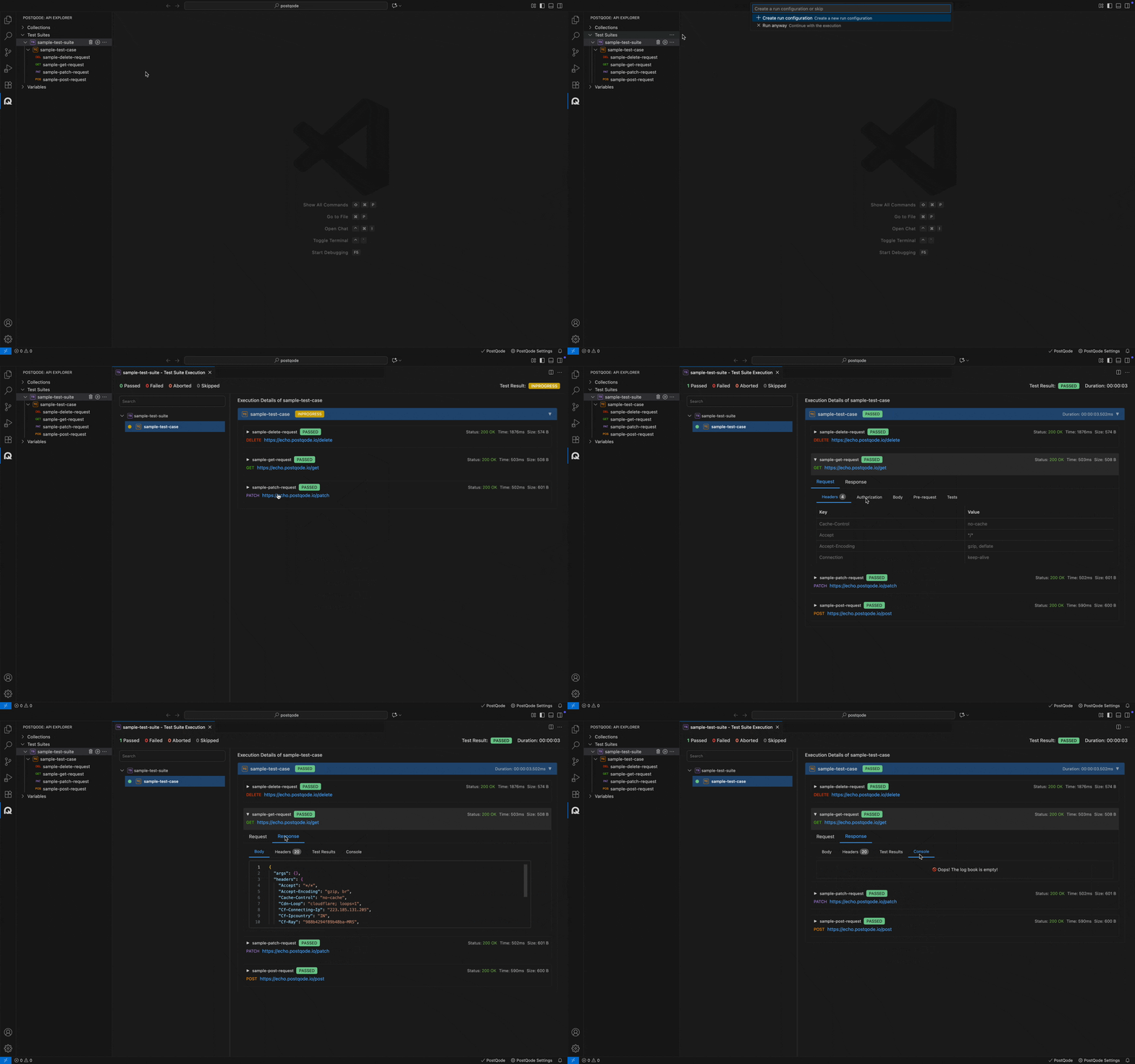
Test Suite Execution
Step 1: Navigate to the Test Suite.
Step 2: Click on the Run icon on the Test Suite.
Step 3: Select the Run configuration (if present) or click on Run Anyway (to execute without configuration).
Step 4: Verify the execution report.