Manage Test Suites
Click on the more options menu (⋯) near Test Suite and click on Edit Test Suite option from the actions menu.
The Edit Test Suite option contains the following options:
- Overview
- Run Config
- Settings
Overview
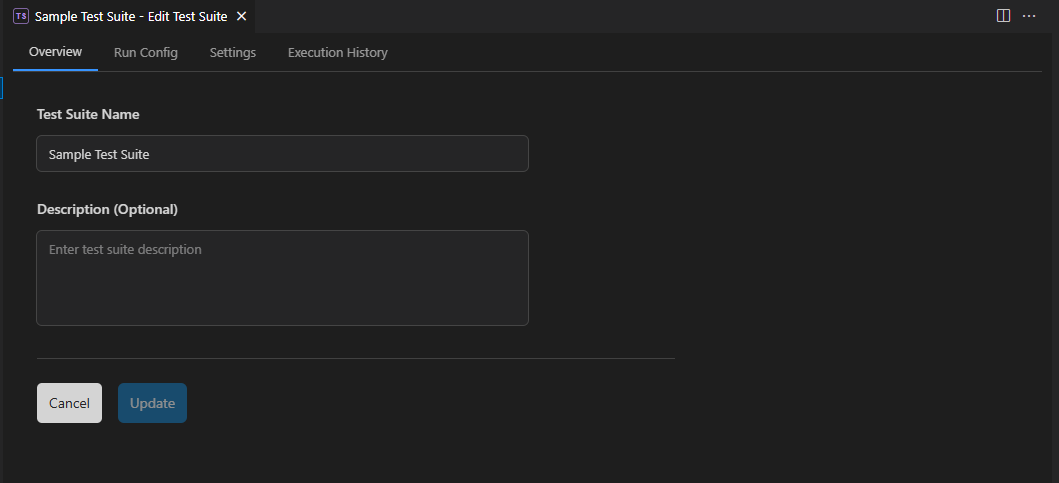
Users can update the name and description of the corresponding Test Suite here.
Run Config
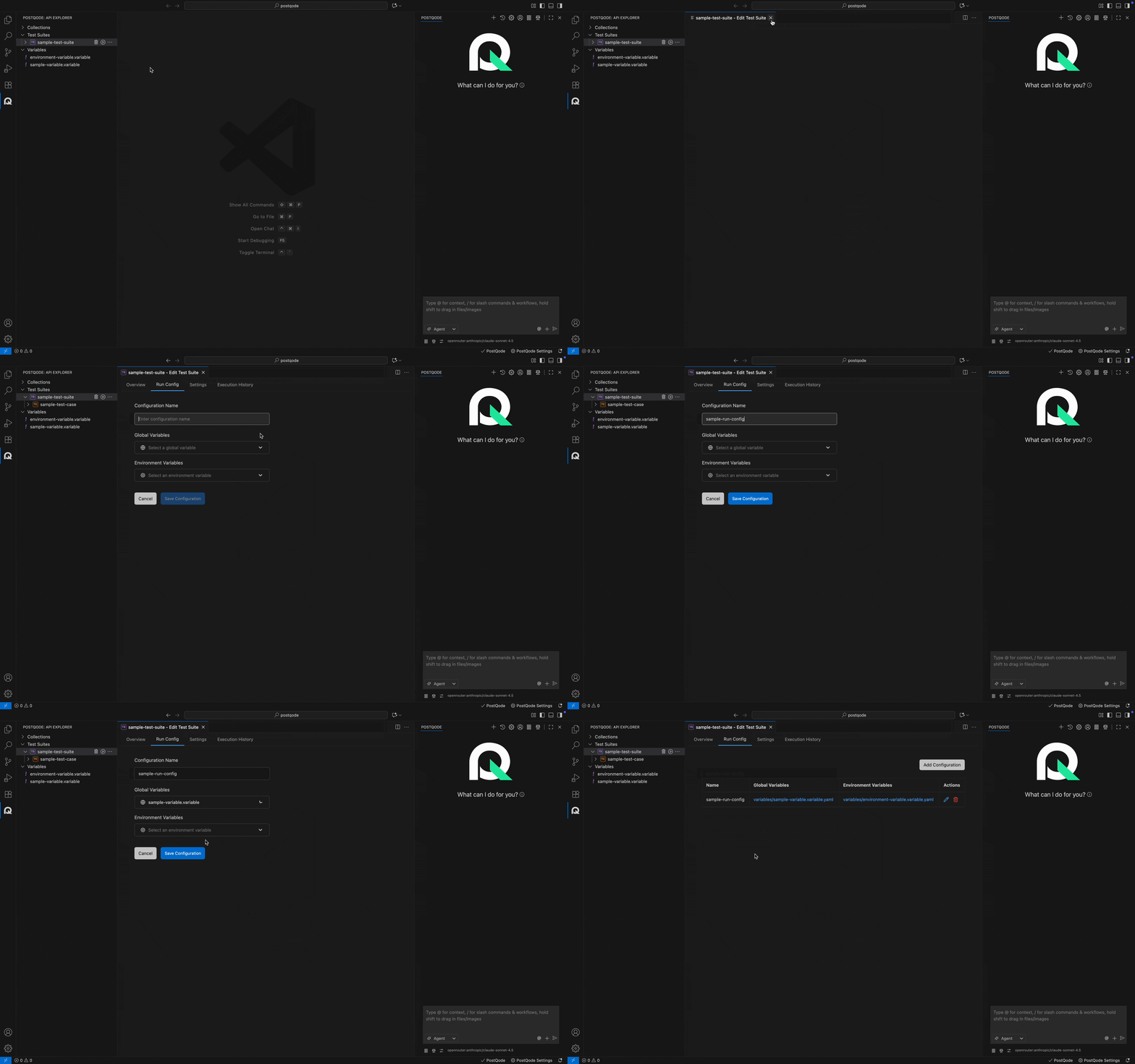
The Run Configuration feature allows users to set up execution environments for Test Suites. It provides options to define the execution strategy and environment. This feature helps customize the test environment for execution.
Configure Run Configuration
Users can set up configuration by following these steps:
- Step 1: Click on the Run Config tab from the Edit Test Suite window.
- Step 2: Click on the Add Run Configuration button.
- Step 3: Enter the Configuration Name and select the Global Variables and Environment variables from the corresponding dropdowns.
- Step 4: Click on Save Configuration button.
Settings
The Settings section allows you to configure test suite-specific settings and preferences for execution, including:
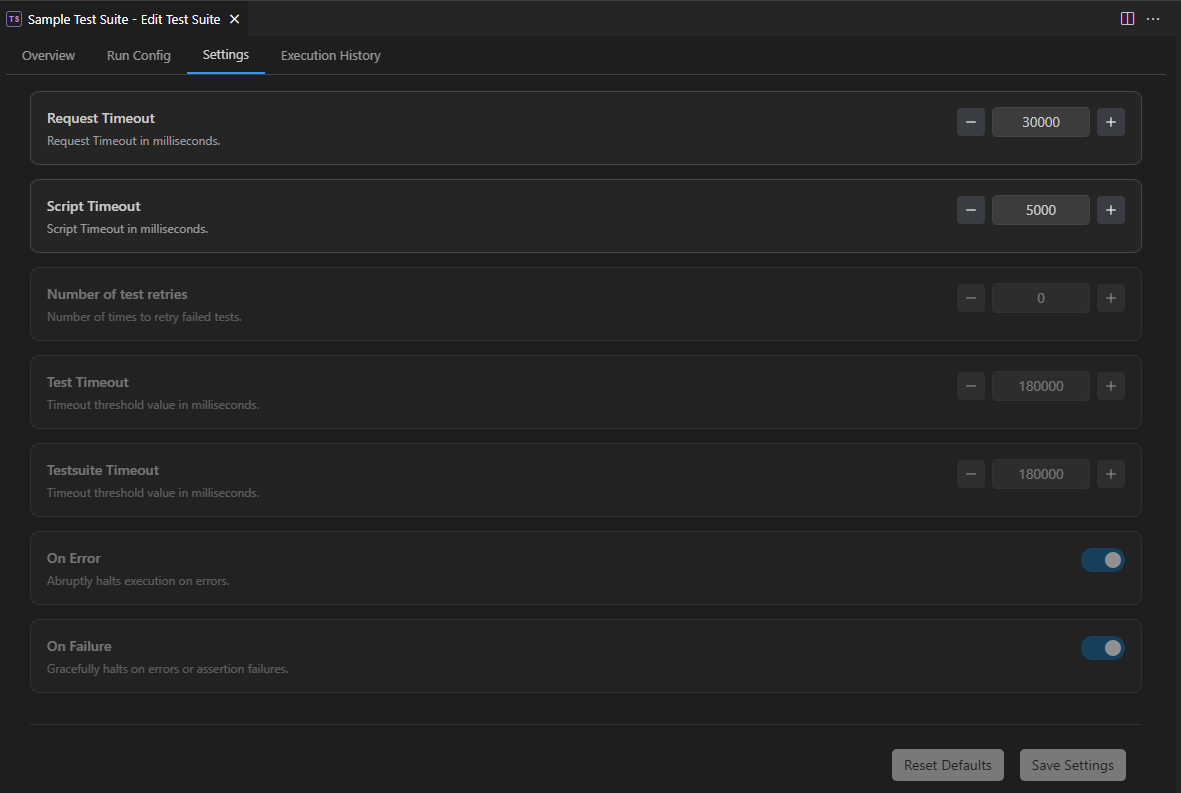
- Number of retries : Number of times to retry failed tests.
- Test Timeout : Test Timeout is the maximum time allowed for a single test (request + test script) to complete. If it exceeds this limit, that test case fails due to timeout.
- TestSuite Timeout : TestSuite Timeout is the total time limit for all test cases in a suite to finish running. If the combined execution time exceeds this threshold, the entire suite stops and fails due to timeout.
- Request Timeout : Request Timeout in PostQode is the maximum time PostQode waits for a server to respond before stopping the request and showing an error.
- Script Timeout : Script Timeout in PostQode defines the maximum time allowed for pre-request or test scripts to execute.
- On Error : Abruptly halts execution on errors.
- On Failure : Gracefully halts on errors or assertion failures.