Create Variables
Variables in PostQode are centralized data repositories that eliminate repetitive data entry. They store values that can be reused across multiple requests, making your API testing more efficient and organized.
Use variables to manage different environment settings like URLs, tokens, and API endpoints. For example, when testing a banking app, you can define separate variables for credit, deposit, and loan endpoints across development, staging, and production environments.
Creating New Variables
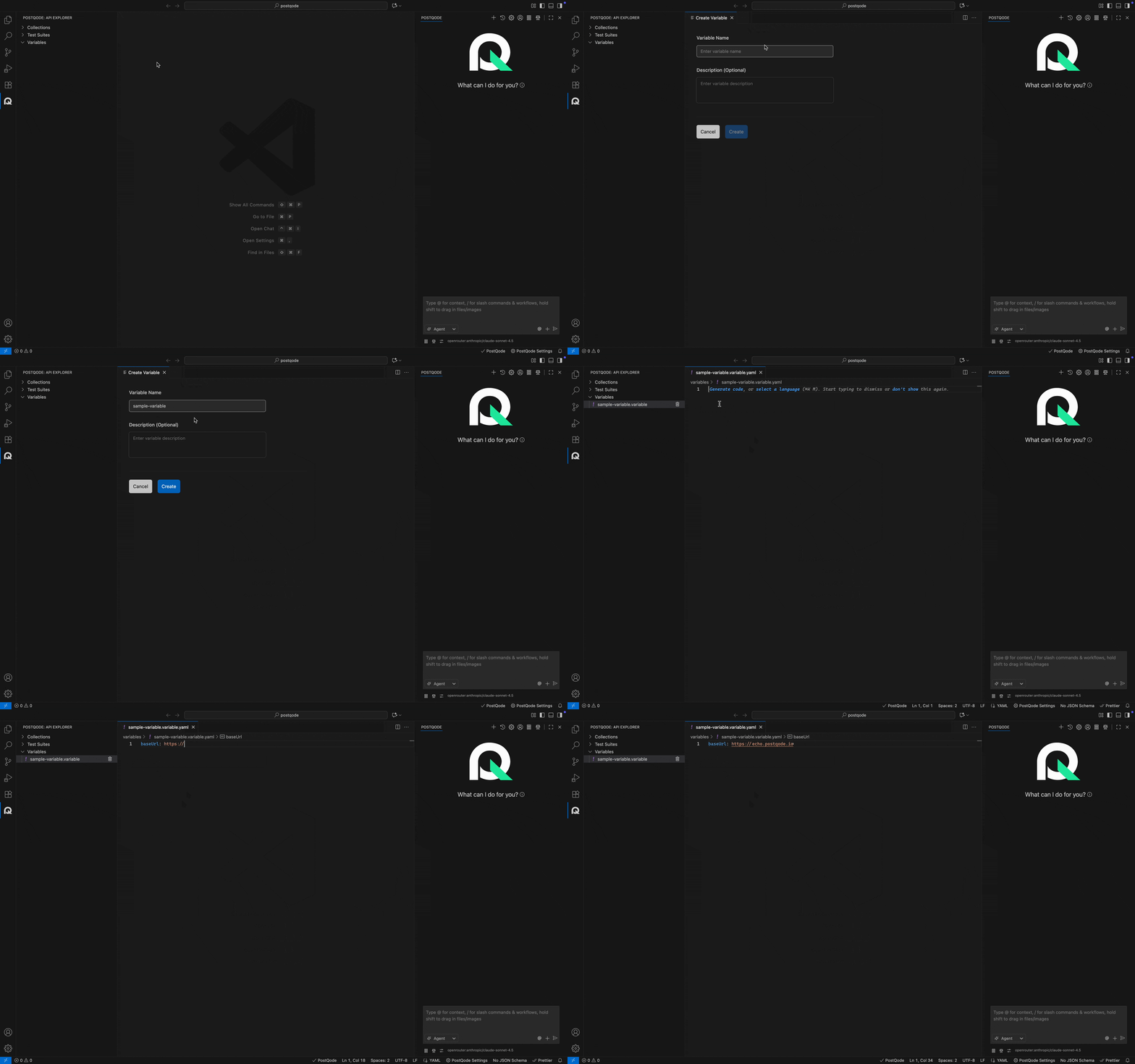
Step 1: Click on the more options menu (⋯) in the Variables Section.
Step 2: Click on the Create Variable option from the action menu. This action opens the Create Variable window.
Step 3: Fill the Variable name and Description(optional) and click on Create button.
Note: Name should not start with a space or dot(.).
Editing Variables
Step 1: Click on the more options menu (⋯) near Variable and click on Edit Variable option from the actions menu.
Step 2: The Edit Variable option contains the following options:
- Variable Name and Description can be updated