Import Variable
PostQode allows you to import existing variables from configuration files and variable definitions, making it easy to migrate your environment settings and variable configurations. This guide covers all supported variable import formats and methods.
Importing a Variable
To import a Variable:
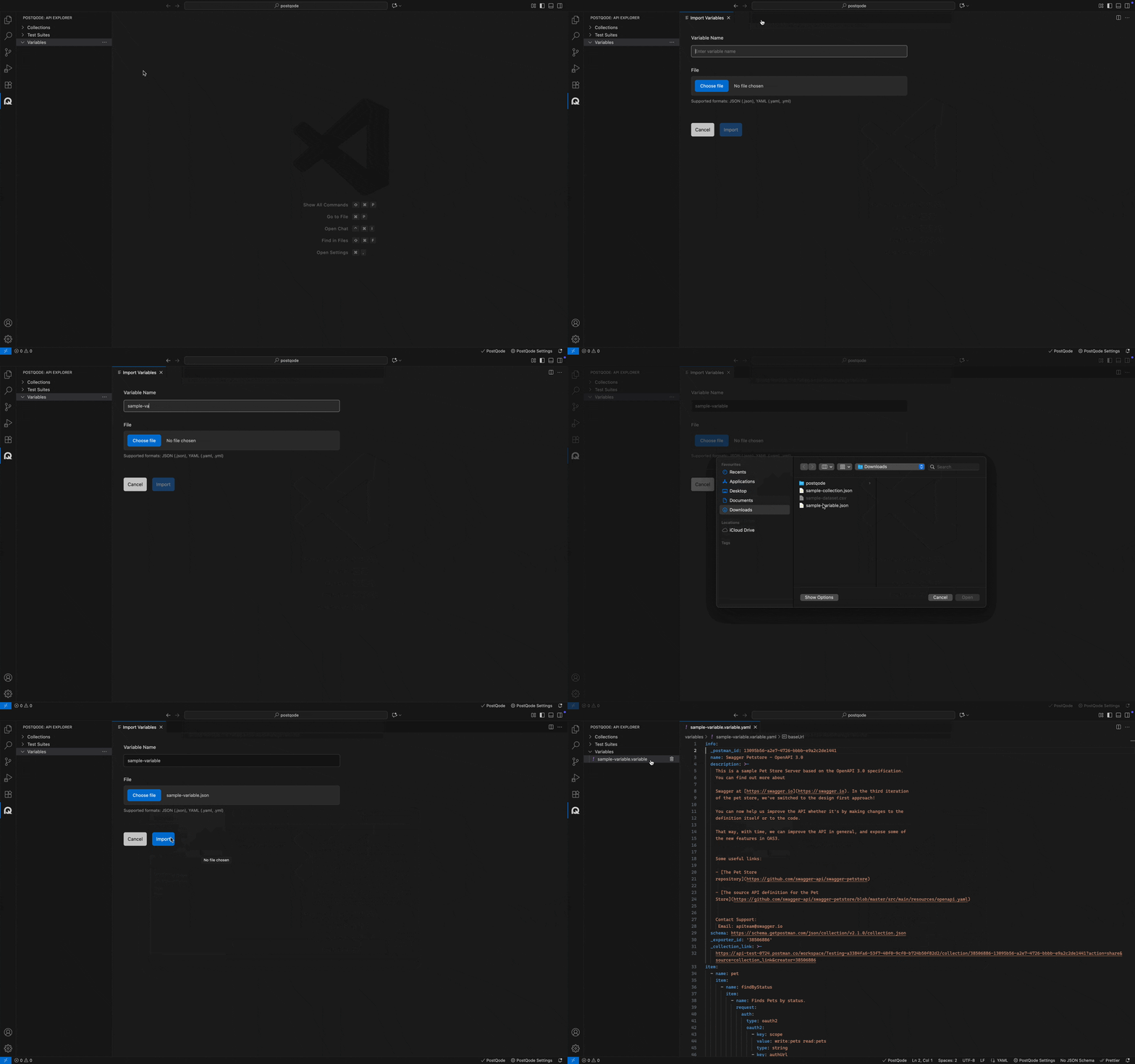
Step 1: Navigate to the Variables section in PostQode
Step 2: Click on the Meatballs menu (...) in the Variables section
Step 3: Select Import Variable from the dropdown action menu
Step 4: Enter a Variable Name in the required field
Step 5: Click Choose File to select your variable file from your local system
Step 6: Click Import to complete the process
Supported Formats
PostQode supports importing variables from the following formats:
- JSON:
.json— Standard key-value pairs, supports nested objects. - YAML:
.yaml,.yml— Human-readable format, great for configs and readable variable sets.