Drag & Drop
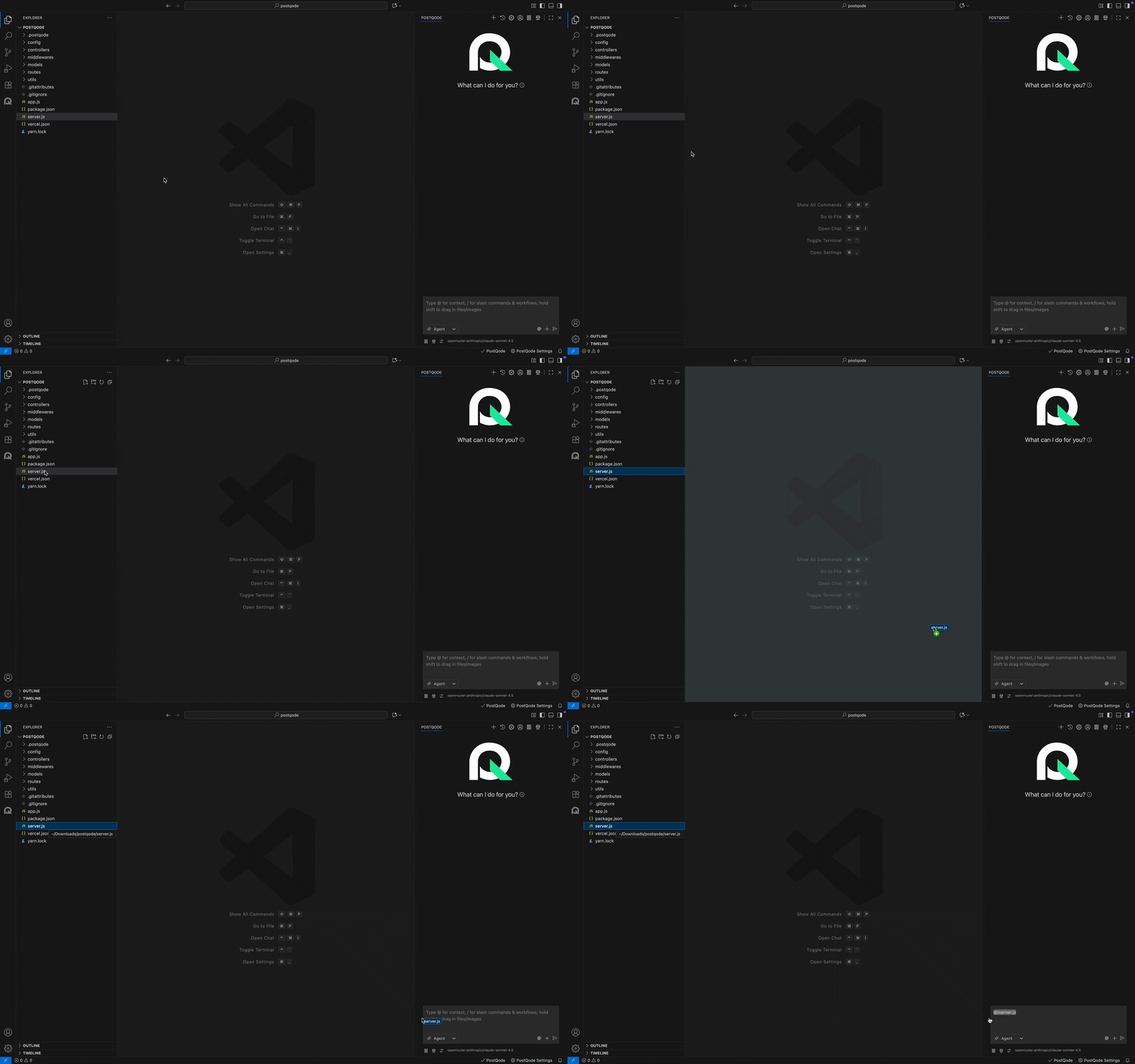
Dragging and dropping files into PostQode is a quick way to add images, code, and other files to your conversations.
note
Due to VS Code quirks, to drag and drop files into the PostQode chat input, you need to hold Shift while dragging.
Dragging and dropping workspace files into PostQode will automatically create a file mention. This allows you to reference the file in your conversation without needing to type out the path.
Dragging from Finder/File Explorer
You can drag files directly from your system's file manager into PostQode:
Supported File Types & Behavior
- From Workspace File Explorer: Dragging any workspace code file, stylesheet, or directory automatically inserts a formatted
@fileor@foldermention into the prompt input. - From External OS File Manager (Finder / File Explorer):
- Images: PNG, JPG, JPEG, SVG, WebP images can be dropped directly to provide multimodal visual context (mockups, screenshots, design specs).
- Text Files: Dropping text or code files pastes their path or content.
- Binary & Document Files (PDFs, Excel, CSVs): To attach structured documents or PDFs from your workspace, use the
+(Add Context / Files) button or reference them via@file <path>so PostQode's parser tools can process them cleanly.