File Mentions
How to Use File Mentions
To reference a file from your workspace:
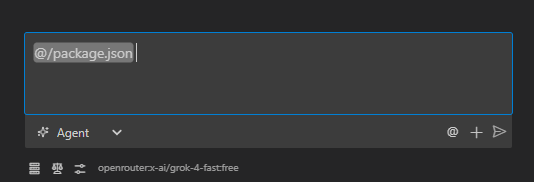
- In the PostQode chat input, type
@. - In the suggestions menu, click on Select file.
- Options are listed to select the file—browse or type to filter workspace files in real time, then click or press Enter on the desired file.
- The file mention (e.g.
@src/components/ContactForm.jsx) is inserted into your prompt.
I'm getting this error when my form submits: @terminal

Here's my component: @src/components/ContactForm.jsx

And the API endpoint: @src/api/contact.js

What am I missing?
This gives PostQode everything it needs—the error message, the component code, and the API endpoint—without requiring manual copy-pasting.
How It Works Under the Hood
When you send a message containing a file mention:
- PostQode parses
@<filepath>tokens within your message text. - The extension resolves the path relative to your active workspace root or multi-root folders.
- PostQode inspects the file type and encoding to determine how it should be read:
- Text & Source Code Files: PostQode reads the full text via UTF-8 decoding and injects it into the prompt context wrapped in structured XML tags:
<file_content path="src/components/ContactForm.jsx">
[Complete file content]
</file_content> - Binary Image Files (PNG, JPG, SVG, WebP): PostQode reads the file as a binary buffer and converts it into a base64-encoded image block for multimodal models (such as Claude 3.7 Sonnet, GPT-4o, and Gemini 2.5 Pro) so the model can visually inspect UI layouts, diagrams, and assets.
- Binary Documents (PDF, DOCX): PostQode extracts the text stream using internal document parsers. When text extraction is not possible or the file is an arbitrary binary (e.g., compiled
.exe,.so,.zip,.wasm), PostQode avoids dumping raw binary bytes (which would corrupt tokenization). Instead, it injects file metadata (file path, file size in bytes, MIME type) and prompts the agent to use tool-based inspection (such as shell commands or script execution) to interact with the file.
- Text & Source Code Files: PostQode reads the full text via UTF-8 decoding and injects it into the prompt context wrapped in structured XML tags:
- The enhanced prompt is dispatched to the model, ensuring full context without polluting context windows with undecodable binary characters.