URL Mentions
URL mentions let you bring web content directly into your conversation with PostQode. Just type @ followed by any URL, and PostQode can see the content of that webpage without you having to copy and paste anything.
When you type @ in chat followed by a URL (like @https://example.com), PostQode will fetch the content of that webpage and include it in the context. This works for documentation pages, GitHub issues, Stack Overflow questions, or any other web content you want to reference.
URL mentions are useful when working with external APIs or libraries. Instead of trying to explain how an API works or copying documentation snippets, just reference the docs directly:
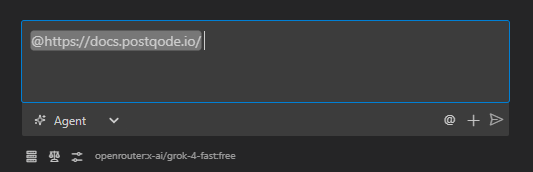
I'm trying to implement authentication with this API: @https://api.example.com/docs/auth

Can you help me write the code to get an access token based on these docs?
This gives PostQode the complete documentation page, so it can see all the authentication requirements, endpoints, parameters, and examples. PostQode can then provide more accurate and comprehensive help based on the official documentation.
URL mentions are especially useful for referencing GitHub issues or discussions:
I'm trying to fix this issue in our project: @https://github.com/our-org/our-repo/issues/123

Here's my current implementation: @/src/components/Feature.jsx

What changes do I need to make to address the issue?
This shows PostQode the complete GitHub issue, including the description, comments, and any code snippets or screenshots. PostQode can then help you implement a solution that directly addresses the reported issue.
When working with external documentation or online resources, try using URL mentions instead of copying and pasting content. This provides more accurate help because PostQode can see the complete context of the webpage, including formatting, code examples, and surrounding information.
How It Works Under the Hood
When you use a URL mention in your message, here's what happens behind the scenes:
-
When you send your message, PostQode detects the
@http://...or@https://...pattern in your text -
The extension launches a headless browser (Puppeteer) in the background
-
It navigates to the URL and waits for the page to load completely
-
The browser captures the page content, including text, formatting, and code examples
-
The content is converted to a Markdown format that preserves the structure
-
This content is appended to your message in a structured format:
<url_content url="https://example.com/docs">
# Example API Documentation

## Authentication

To authenticate with the API, you need to...

const token = await api.authenticate({
  username: 'user',
  password: 'pass'
});

[Complete webpage content in Markdown format]
</url_content> -
The browser is then closed to free up resources
-
This enhanced message with the embedded webpage content is sent to the AI
This process happens automatically whenever you use a URL mention, giving the AI access to the complete content of the webpage without you having to copy and paste anything.